GROUNDBREAKING
TOUCH SOLUTIONS
Overview
Touch Leadership
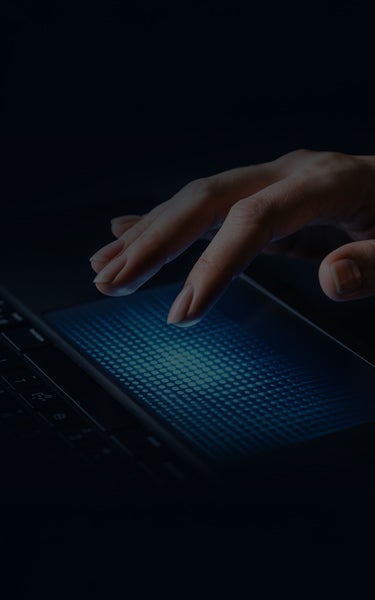
Synaptics builds on over two decades of touchpad innovation, delivering industry-leading input technologies such as force navigation, advanced palm rejection algorithms, and integrated security features.
Integrated Input
The TouchPad™ family emphasizes intuitiveness, tight system integration, and robustness, supporting multi-finger sensing, buttonless designs, pressure-based input, and secure authentication across computing platforms.
Scalable Platform
Synaptics provides configurable hardware and OEM-customized drivers that enable optimized performance, feature differentiation, and reliable operation across a wide range of notebook and emerging device applications.
Touch Interface Module
The proven touch interface solution from the market leader. Years of perfecting the user experience has resulted in a TouchPad with excellent pointing ballistics, natural response and feel, and TypeGuard™ -- palm rejection algorithms that virtually eliminate accidental selection for your hand resting on your notebook PC.

Advanced Driver
Fully customizable driver for advanced gestures, from 2-finger scrolling to PinchZoom and more.
TypeGuard™
Patented Accidental Contact Mitigation (ACM) reduces accidental taps and clicks.
Portfolio of Solutions
A variety of sensor types, mechanical design choices, and driver features enable OEMs to create differentiated products.
Multi-finger Sensing
Enables advanced gestures such as pinch and zoom, 3-finger flick, and more.
Elegant Industrial Design
The TouchPad is the button! ClickPad enables all of the functionality of the TouchPad – scrolling, pointing, navigation, and selection – but without the need for external buttons. The result is a clean, intuitive, capacitive-sensing input solution that maximizes surface area -- up to 30% larger than with standard touchpads -- that accommodates added functions, such as gesture control. ClickPad provides crisp, responsive clicks and a natural, intuitive feel. Available in traditional top hinged designs as well as all surface clickable solutions.
ClickSmart™ Left/Right Buttons
Traditional TouchPad button locations combined with new 1/2 finger left/right clicks.
Advanced Driver
Fully customizable driver for advanced gestures, from 2-finger scrolling to PinchZoom and more.
TypeGuard™
Patented Accidental Contact Mitigation (ACM) reduces accidental taps and clicks.
Portfolio of Solutions
A variety of sensor types, mechanical design choices, and driver features enable OEMs to create differentiated products.
Multi-finger Sensing
Enables advanced gestures such as pinch and zoom, 3-finger flick, and more.
3D Touch Interface
Force sensing literally creates an entirely new dimension in touch, enabling cutting-edge user interfaces with more intuitive gestures and easier navigation. ForcePad provides a thinner touchpad with pressure-sensitive scrolling and zooming, and press-to-click capabilities anywhere on the touchpad. The result is fewer required movements, minimized repetitive gestures and users getting the most out of their touchpad area. And because it’s form-factor-compatible with Synaptics TouchPads, OEMs can integrate ForcePad quickly and easily.
ClickSmart™ Left/Right Buttons
Traditional TouchPad button locations combined with new 1/2 finger left/right clicks.
Advanced Driver
Fully customizable driver for advanced gestures, from 2-finger scrolling to PinchZoom and more.
TypeGuard™
Patented Accidental Contact Mitigation (ACM) reduces accidental taps and clicks.
Portfolio of Solutions
A variety of sensor types, mechanical design choices, and driver features enable OEMs to create differentiated products.

Force Sensing
Simplified and intuitive operation with pressure sensitive scrolling speed, silent click, and haptic feedback.
Multi-finger Sensing
Enables advanced gestures such as pinch and zoom, 3-finger flick, and more.
Integrated Fingerprint Sensor
With mobile payments among today's fastest-growing user applications, fingerprints will be used for more than just unlocking notebook PCs. SecurePad integrates a Synaptics Natural ID™ fingerprint sensor directly into the TouchPad™ area, so that it is located conveniently where users' hands naturally are. They're able to authorize online transactions, log in to websites and access applications in one easy, fluid motion.
ClickSmart™ Left/Right Buttons
Traditional TouchPad button locations combined with new 1/2 finger left/right clicks.
Advanced Driver
Fully customizable driver for advanced gestures, from 2-finger scrolling to PinchZoom and more.
TypeGuard™
Patented Accidental Contact Mitigation (ACM) reduces accidental taps and clicks.
Portfolio of Solutions
A variety of sensor types, mechanical design choices, and driver features enable OEMs to create differentiated products.

Integrated Natural ID Fingerprint Sensor
Simplified design for OEMs and more fluid operation for the consumer.
Multi-finger Sensing
Enables advanced gestures such as pinch and zoom, 3-finger flick, and more.